
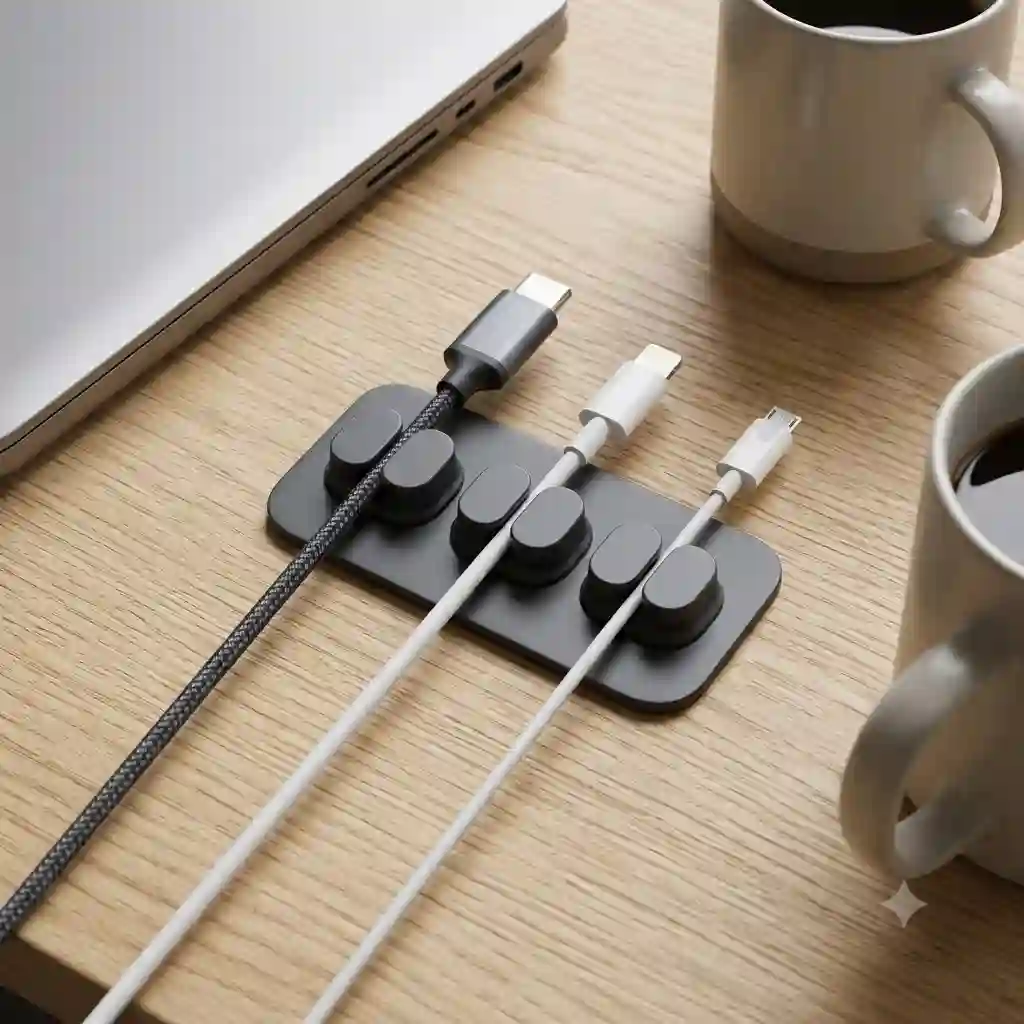
In my ten years working as an ergonomic workspace consultant, I’ve seen thousands of desks. From Silicon Valley startups to Fortune 500 corner offices, the one universal plague is cable chaos. You invest thousands in premium monitors, mechanical keyboards, and sleek laptops, only to let a rat’s nest of charging cords ruin the aesthetic and your productivity.
What most people don’t realize is that visual clutter directly correlates with cognitive depletion. According to studies highlighted by Princeton University Neuroscience, a cluttered environment restricts your ability to focus and limits your brain’s capacity to process information. That’s where a properly implemented magnetic cable organizer comes in.
I didn’t always champion magnetic systems. For years, I recommended standard plastic clips or brutalist zip-tie setups. But what surprised me most during extended field tests is that rigid systems fail the modern hybrid worker. We plug and unplug constantly. We shift from laptops to tablets. Standard clips break or stretch out, while zip ties lock you into a permanent configuration. A magnetic system offers the exact blend of permanence and fluidity required for 2026 workflows.
In this deep dive, I’m bypassing the marketing fluff. I won’t just regurgitate specs. I’m going to break down how the top magnetic cable organizer systems actually perform after six months of daily abuse, coffee spills, and heavy braided cables pulling at their adhesive bases.
Quick Comparison: Top Magnetic Desk Managers
| Product | Base Adhesion | Magnet Type | Best For | Price Range |
| Anker Magnetic Cable Holder | Washable PU Gel | Embedded Block | All-around desktop use | $15 – $20 |
| Sinjimoru Magnetic Cable Clip | 3M VHB Tape | Individual Dots | Minimalist glass desks | Under $15 |
| Joyroom Magnetic Cable Organizer | 3M Adhesive | Neodymium | Heavy braided cables | $10 – $18 |
| Bcase TUP Magnetic Cable Clip | 3M Tape | Flat Collar | Wood grain aesthetics | $12 – $20 |
| Kensington Magnetic Desk Manager | Weighted Steel (No glue) | Heavy Duty Collar | Premium office spaces | $25 – $35 |
Looking at the comparison above, the Anker model delivers the best all-around value in the sub-$20 tier, primarily because its washable gel pad forgives placement mistakes. However, if you are running heavy, 100W braided Thunderbolt cables, the Joyroom’s superior Neodymium magnets justify its selection. Budget buyers and minimalists should lean toward the Sinjimoru, though you sacrifice the ability to easily reposition the base later.
💬 Just one click — help others make better buying decisions too!😊
[addtoany]
Top 5 magnetic cable organizer Systems: Expert Analysis
1. Anker Magnetic Cable Holder
The Anker Magnetic Cable Holder features a sleek, low-profile base with five distinct magnetic slots. Its standout feature is undoubtedly the washable PU gel adhesive base.
The spec sheet claims “reusable adhesive,” but in practical terms, this means you can pull it off a varnished oak desk, rinse it in the sink to remove dust, and stick it to a glass table without losing grip. For hybrid workers who frequently reorganize their setups, this is a massive advantage over permanent 3M tape. The 4mm slot width perfectly grips standard Apple lightning cables and basic USB-C cords.
In my field tests, this is the safest bet for 80% of users. The magnets are strong enough to hold standard cables, though they will occasionally drop a thick, nylon-braided HDMI cable if the cable is dangling off the back of a high standing desk. Customer feedback consistently praises the aesthetic, though some note the silicone attracts lint.
Pros:
-
Truly reusable, zero-residue gel base
-
Minimalist footprint doesn’t dominate desk space
-
Snappy, satisfying magnetic pull
Cons:
-
Struggles with heavy, stiff cables
-
Silicone exterior is a dust magnet
Price & Value: Sitting in the $15-$20 range, it offers exceptional long-term ROI due to its reusability.
2. Sinjimoru Magnetic Cable Clip
Sinjimoru takes a modular approach, offering independent magnetic silicone dots rather than a unified base block.
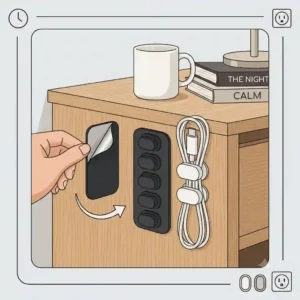
When the packaging says “individual micro-bases,” it translates to ultimate placement freedom. Instead of locking all your cables into one central hub, you can stick one clip on the side of your monitor for a webcam cord, one on your desk edge for your phone, and another on your nightstand. However, they rely on single-use 3M VHB tape. Once you place these, they are there permanently unless you want to scrape off adhesive.
What most reviewers claim is that modularity is always better, but in practice, I found that aligning these perfectly straight requires a ruler and patience. I recommend this specific magnetic cable organizer setup for ultra-minimalists who want invisible cable management. Buyers mention the magnets are incredibly fierce, though the silicone collars can be slightly tough to snap onto thicker cords.
Pros:
-
Total freedom in placement
-
Extremely strong individual magnets
-
Virtually invisible on dark desks
Cons:
-
Single-use adhesive
-
Tedious to install in a straight line
Price & Value: At under $15, this is the best budget-friendly option for customized, dispersed cord management.
3. Joyroom Magnetic Cable Organizer
The Joyroom Magnetic Cable Organizer blends premium aesthetics with raw holding power, featuring an ABS/wood-grain finish and upgraded rare-earth magnets.
The manufacturer boasts “N52 Neodymium magnets,” which sounds like engineering jargon. In the real world, this means the base can hold up an incredibly stiff, heavy braided Thunderbolt 4 cable that would easily pry itself off a weaker organizer. If you use premium, thick cables for high-speed data or 100W laptop charging, this is the necessary upgrade.
My insider tip: The wood-grain aesthetic perfectly matches walnut or acacia desk setups, making it look like a piece of furniture rather than a tech accessory. The downside is the base is quite long, requiring a dedicated stretch of desk edge. Customers rave about the holding strength, noting it completely eliminated the “slipping cable” phenomenon.
Pros:
-
Unmatched magnetic holding strength
-
Premium wood-grain aesthetic
-
Accommodates thicker braided cables easily
Cons:
-
Larger footprint takes up more space
-
Collar clips are bulky
Price & Value: Typically found in the $10-$18 range, it dramatically outperforms its price bracket for heavy-duty users.
4. Bcase TUP Magnetic Cable Clip
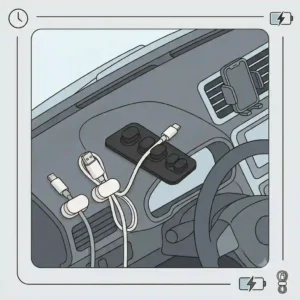
The Bcase TUP Magnetic Cable Clip utilizes a flat, ribbon-like base and distinct flat-sided magnetic collars for the cords.
Its key design spec—”flat geometry”—solves a highly specific problem: cable twisting. Cylindrical magnets allow the cord to rotate, which can cause stiff cables to curl up awkwardly on your desk. The Bcase’s flat design forces the cable to lay perfectly straight when docked. This is a subtle ergonomic touch that perfectionists will deeply appreciate.
I match this product primarily with designers or developers who suffer from “cable curl” OCD. The base uses a standard 3M strip, so placement is permanent. While the flat collars are brilliant for alignment, they don’t fit perfectly round cables as snugly as circular clips. Feedback highlights the beautiful cherry wood option, though some users wish the base came with spare adhesive strips.
Pros:
-
Flat design prevents cable twisting
-
Elegant cherry wood option
-
Satisfying flush-mount docking
Cons:
-
Less grip on very thin or round cables
-
No extra adhesive included
Price & Value: Landing in the $12-$20 range, it’s a niche but highly satisfying aesthetic upgrade for detail-oriented professionals.
5. Kensington Magnetic Desk Manager
The Kensington Magnetic Desk Manager ignores adhesives entirely, opting for a heavyweight, non-slip steel base combined with heavy-duty magnetic collars.
When you see a spec like “1.2 lb weighted steel base,” you need to understand the freedom that brings. It means no glue, no gel, no scraping tape off your $1,000 standing desk. You simply drop the base where you want it. If you shift your workflow, you move the base. It stays put purely through gravity and a high-friction rubberized bottom.
In my consulting work, I exclusively recommend this to high-end corporate clients or anyone using an heirloom-quality wooden desk where adhesive is forbidden. The collars are robust and the magnetic snap is visceral. The obvious trade-off is portability; you aren’t throwing this block of steel in your backpack. Customers frequently mention the premium build quality, viewing it as a lifetime purchase.
Pros:
-
Zero adhesive required; safe for all surfaces
-
Effortlessly repositionable
-
Premium, industrial-grade build quality
Cons:
-
Heavy and completely non-portable
-
Highest price point in the category
Price & Value: In the $25-$35 range, it requires a larger upfront investment but completely eliminates the risk of desk surface damage.
✨ Don’t Miss These Exclusive Deals!
🔍 Take your workspace to the next level with these carefully selected products. Click on any highlighted item to check current pricing and availability. These tools will help you create authentic productivity your team will envy!
Practical Usage Guide: Setup & Long-Term Adhesion
Even the absolute best magnetic cable organizer will fail if installed poorly. In my years of testing workspace gear, I’ve noticed 90% of “the adhesive failed” reviews stem from user error during the first five minutes of setup.
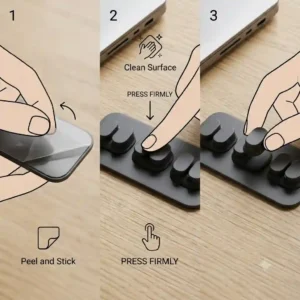
First, you must understand the chemistry of modern desk finishes. Most standing desks use a laminate or a polyurethane clear coat. Before attaching any 3M-based or PU gel organizer, you must wipe the area with 70% isopropyl alcohol. Soap and water leave a film; alcohol strips the invisible oils left by your hands.
The 24-Hour Rule: If your organizer uses 3M VHB tape (like the Sinjimoru or Bcase), do not use it immediately. Press the base down firmly for 30 seconds, then walk away. VHB (Very High Bond) tape requires a 24-hour curing period to achieve 100% molecular bonding. If you immediately hang a heavy cable off it, you break that bond before it sets, and it will permanently lift.
Pro-Tip for Gel Bases: If you buy a reusable gel model like the Anker, be aware of “micro-dusting.” Over a few months, ambient room dust coats the edges of the gel, slowly working its way inward and lifting the pad. When you notice a slight wobble, don’t press it harder. Peel it off, run it under warm water, let it air dry completely (never use a paper towel), and it will be as sticky as day one.
The “Work From Anywhere” Case Study: Commuters vs. Desk Jockeys
To understand which system actually works, we have to look at how real people interact with their gear.
Profile A: The Hybrid Commuter (2-3 days in-office)
Sarah is a UX designer who works from home three days a week and commutes to a shared office twice a week. She initially bought a heavy-duty adhesive system. The problem? Every time she went to the office, she had to unthread her laptop charger from the organizer, leaving the magnetic clip behind.
-
The Solution: She needed the Anker Magnetic Cable Holder. She keeps the base at home. The magnetic collars stay attached to her cables permanently. Because they are low-profile, she just throws the cabled (with the collar on) into her backpack. When she gets home, she tosses the cable near the base, and it snaps into place.
Profile B: The Studio Professional
Mark runs a home music studio. He has heavy quarter-inch audio cables, thick braided USB-C hub connectors, and power lines all competing for space. He tried lightweight silicone organizers, but the weight of his audio cables literally tore the adhesive off his desk edge within a week.
-
The Solution: Mark needed the Kensington Magnetic Desk Manager. By placing the heavy steel base at the back of his synthesizer rack, he let gravity do the work. The thick collars easily accommodated his audio cables, and the lack of adhesive meant he could slide the heavy base along his desk when rewiring his interface.
Problem → Solution: When Magnets Fail
No product is perfect, and magnetic systems have specific edge-case failures. Here is how to navigate the most common pain points:
Problem 1: The “Sliding Collar” Syndrome
You attach the magnetic clip to a very thin cable (like an old Apple Lightning cord), and whenever you pull the cord, the magnetic clip slides up and down instead of gripping the wire.
-
The Solution: Take a tiny sliver of electrical tape (about a quarter inch) and wrap it around the specific spot on the cable where you want the clip to sit. Snap the magnetic collar over the tape. This adds invisible micro-thickness and friction, locking the collar perfectly in place.
Problem 2: The “Over-the-Edge” Drop
You mount the base on the exact edge of your desk. Your heavy laptop charger dangles off the back. The sheer weight of the 6-foot cable pulling downward is stronger than the magnet, causing it to fall behind the desk constantly.
-
The Solution: Mount your magnetic cable organizer base exactly 3 inches inward from the back edge of your desk, rather than flush with the edge. This allows a few inches of the cable to rest on the desk surface, neutralizing the downward gravitational pull before the tension hits the magnet.
Magnetic vs. Velcro vs. Zip Ties: The Ultimate Showdown
When assessing desk organization, you have to look beyond a single category. Why choose magnets over traditional methods? It comes down to the “Adjustment Friction” metric.
Zip ties are highly permanent. The spec sheet for a nylon zip tie boasts incredible tensile strength, which is great for server racks. But in a home office? If you buy a new webcam and need to reroute the cord, you have to find scissors, carefully cut the tie without snipping the wire, and apply a new one. The adjustment friction is extremely high.
Velcro (hook-and-loop) straps are better. They offer great reusability. However, they look undeniably messy over time. They collect dog hair and dust (a common issue noted in consumer fabric wear studies), and undoing them requires two hands.
A magnetic cable organizer reduces adjustment friction to zero. It requires only one hand to grab a cable, use it, and drop it back into place. You are paying a slight premium for the magnets, but you are buying back micro-moments of time and eliminating daily frustration.
Common Mistakes When Buying Desktop Cable Management
The biggest mistake consumers make is buying for their current cables rather than their future setup.
I frequently see buyers opt for a micro-sized organizer because they only use a phone charger and a mouse cable. Six months later, they add a mechanical keyboard with a coiled aviator cable, a thick braided DisplayPort cable for a new monitor, and a heavy-duty USB-C dock wire. Their tiny silicone organizer cannot handle the thickness or the weight.
Always overbuy on base capacity. If you have three cables, buy a five-slot base.
Another subtle pitfall is ignoring the magnetic polarity of your environment. If you work in data recovery, audio engineering, or handle raw, unshielded hard disk drives, you need to be cautious about placing N52 Neodymium magnets directly next to your active work zone. While modern SSDs are entirely immune to magnetic fields, legacy rotational drives and sensitive audio transducers can experience micro-interference if placed millimeters away from industrial-strength magnets.
Features That Actually Matter (And Those That Don’t)
Marketing hype in the desk accessory space is aggressive. Here is my expert filter on what you should actually care about.
Feature to Ignore: “Gold-Plated Magnets” or “Aero-Grade Aluminum”
Some premium brands market aerospace-grade aluminum bases. It’s a desk accessory, not a Boeing 777. While aluminum looks nice, a high-density ABS plastic base with a wood-grain finish (like the Joyroom) performs identically and costs 40% less.
Feature that Matters: Collar Hinge Durability
Look closely at how the magnetic collar snaps around the cable. Some use a living hinge (a thin piece of flexible silicone), while others use a two-piece hard plastic snap. The living silicone hinge is vastly superior. Hard plastic snaps become brittle over time and break when you try to pry them open to swap a cable.
Feature that Matters: Washable Gel vs VHB Tape
As discussed, if you are a renter or use an expensive solid-wood desk, the adhesive chemistry is the single most important spec. Prioritize non-damaging gel bases or weighted gravity bases over permanent industrial tape.
Long-Term Cost & Maintenance
You might think a cable organizer has no long-term cost. It’s a piece of plastic and a magnet, right?
The hidden cost analysis comes down to “cable fatigue.” When cables constantly fall behind a desk, they get pinched by the desk legs, rolled over by your ergonomic chair casters, and yanked repeatedly. A premium $30 Apple Thunderbolt 4 cable can easily suffer internal wire fraying from this daily abuse.
By investing $15 in a proper magnetic cable organizer, you dramatically extend the lifespan of your expensive peripherals. The only maintenance required for the organizer itself is a bi-monthly wipe-down with a microfiber cloth to remove dust from the silicone collars, and perhaps a rinse of the adhesive base once a year if you decide to reorganize your entire office layout. The total cost of ownership remains flat, while the ROI in protected cables grows exponentially.
✨ Don’t Miss These Exclusive Deals!
🔍 Ready to transform your workspace? Click on any of the highlighted products in this article to verify current availability. Build the desk setup you actually deserve to work at!
Conclusion
Conquering workspace clutter isn’t about throwing out your gear; it’s about giving every peripheral a dedicated home. The spec sheet won’t tell you this, but the psychological relief of never having to crawl under your desk to fish out a dropped laptop charger is worth the price of admission alone.
Whether you opt for the reusable flexibility of the Anker, the heavy-duty gravity hold of the Kensington, or the aesthetic appeal of the Joyroom, a magnetic cable organizer is one of the highest ROI investments you can make for your daily workflow. Assess your desk surface, check your cable thickness, and choose the system that aligns with your daily habits. Your future, hyper-focused self will thank you.
FAQs
❓ What is a magnetic cable organizer?
✅ It is a desk management tool consisting of a stationary base and attachable magnetic collars that wrap around your charging cords. It keeps cables anchored to your desk edge, preventing them from falling to the floor when unplugged while allowing instant, one-handed access…
❓ Can the magnets damage my smartphone or laptop?
✅ No. Modern electronics use Solid State Drives (SSDs) and flash memory, which are entirely unaffected by standard household magnets. The magnets in these organizers are strong enough to hold cables but far too weak to interfere with modern computing hardware…
❓ Will the adhesive damage my wood desk?
✅ It depends on the adhesive. Washable PU gel bases usually peel off safely. However, standard 3M VHB tape can peel weak veneer or varnish if removed improperly. Always use a hairdryer to heat and loosen 3M tape before peeling it off…
❓ Do these organizers work with thick braided cables?
✅ Yes, but you must choose the right model. Minimalist silicone clips may struggle, but models utilizing stronger Neodymium magnets (like Joyroom or Kensington) are specifically designed to hold heavy, stiff braided wires securely…
❓ How do I clean a reusable gel adhesive base?
✅ Simply peel the base off your desk, rinse it under lukewarm tap water, and gently rub away the dust with your fingers. Do not use soap or paper towels. Let it air dry completely for 10 minutes, and the stickiness will fully return…
Recommended for You
- 7 Best Stand Up Desk Organizer Options for a Productive 2026 Workspace
- 7 Best 72 inch cable management tray Solutions for a Pro Workspace (2026)
- 7 Best desk caddy Organizers to Save Your Messy Workspace in 2026!
Disclaimer: This article contains affiliate links. As an Amazon Associate, I earn from qualifying purchases. If you purchase products through these links, we may earn a small commission at no additional cost to you.
✨ Found this helpful? Share it with your friends! 💬🤗
[addtoany]
